
Logo

CyberStockroom Help

if you can't find what you're looking for please email us at support@cyberstockroom.com

Setting a Default Location for Check-In/Out

Locations

Setting a Default Location for Check-In/Out

If you frequently check items in and out of the same locations, you can set default locations to save time. These can be overridden during a transaction if needed.

Last updated on 15 Dec, 2025

How to Set a Default Location:

1. Go to the Settings page.

2. Scroll down to Default Locations and choose either Check-In or Check-Out.

3. Select a location. You can set one default location for Check-In and another for Check-Out.
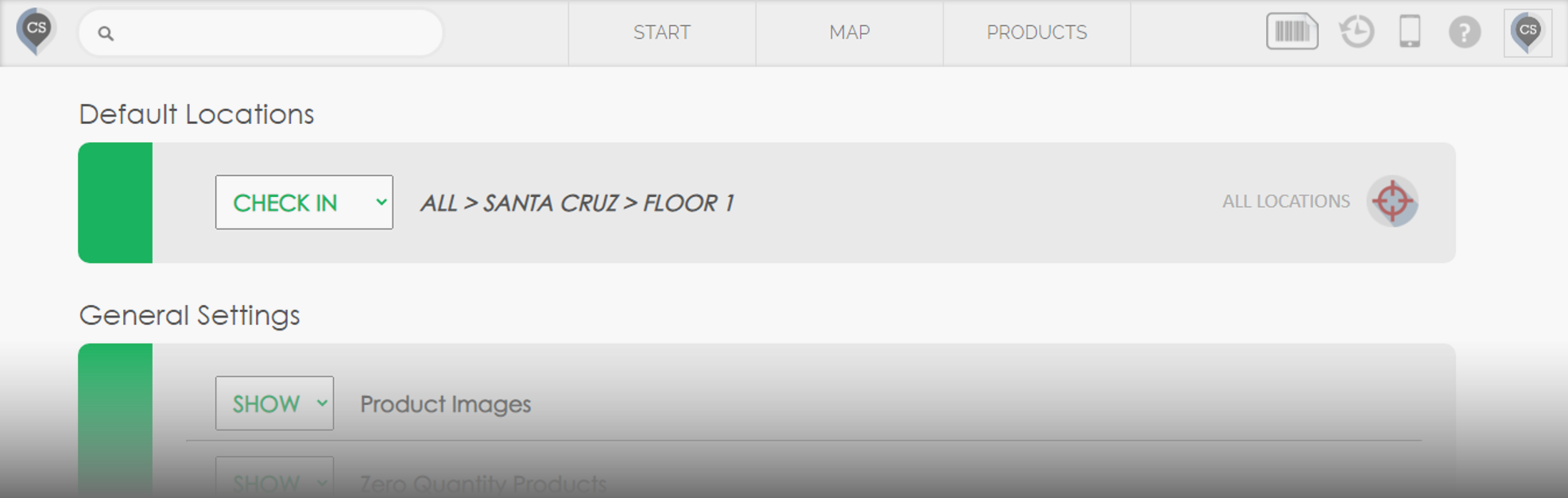
Image


🚀 Next time you check items in or out from the Start page, the system will automatically preload your default location.
📌 You can override the default location anytime using the selector in the top-right corner.

Did you find this article helpful?
Previous

Inventory

Next